Skip to content
AI teammatesOfficePricingEnterpriseChangelog
Sign inGet started

The UniWork office app

UniWork Office

AI office apps for macOS, Windows and Linux. Sign in with your UniWork account, open files from your team's workspace and save them back as a new version.


See the six editors
  • Uses your UniWork account
  • AI through your UniWork plan or your own key
  • Edit files on your computer without a connection; cloud AI and UniWork documents need one
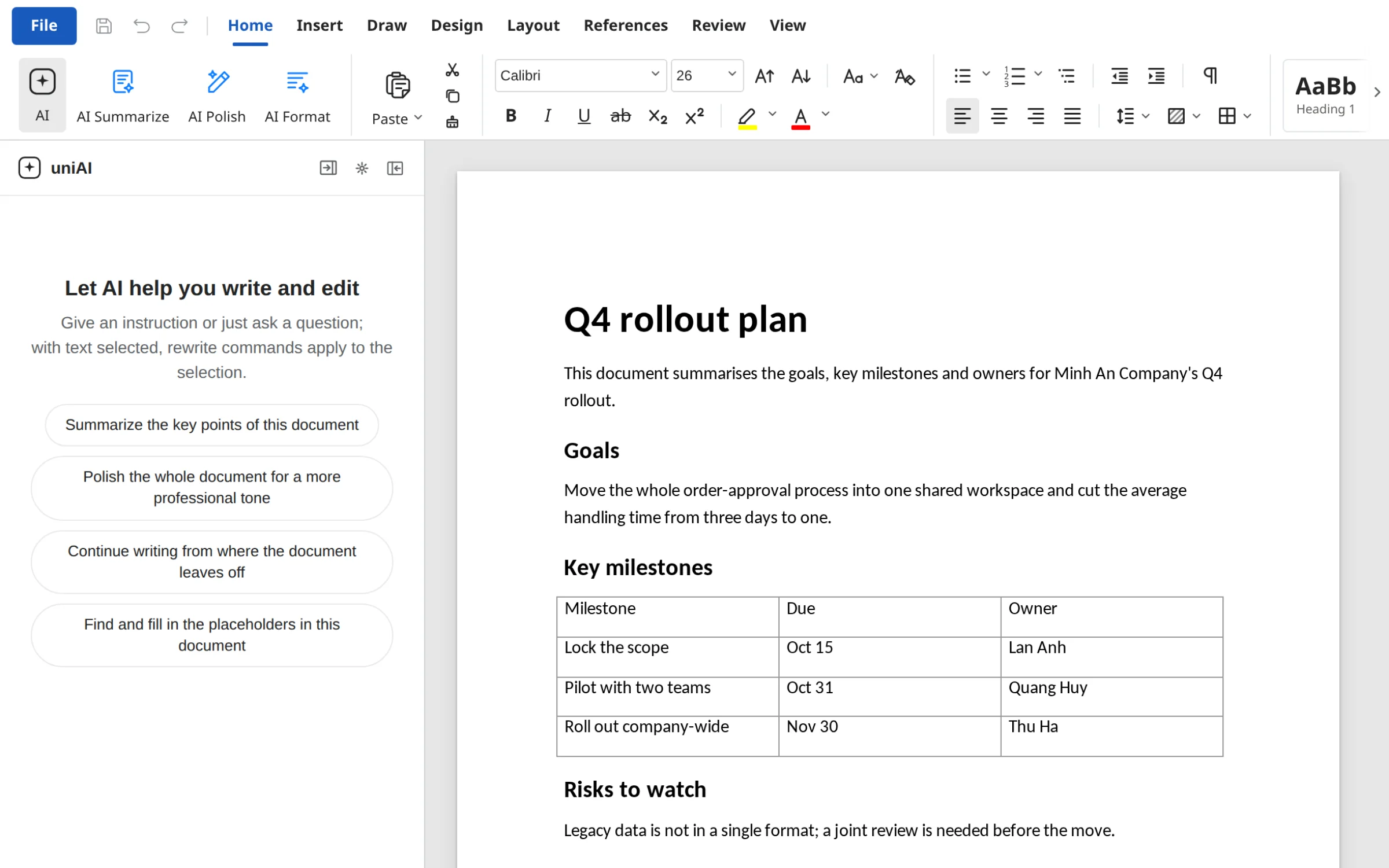
UniWork Office: Docs with the AI panel

Six editors. One workspace.

Works with DOCX, XLSX, PPTX, PDF, HTML and Markdown

UniWork Office: Docs with the AI panel

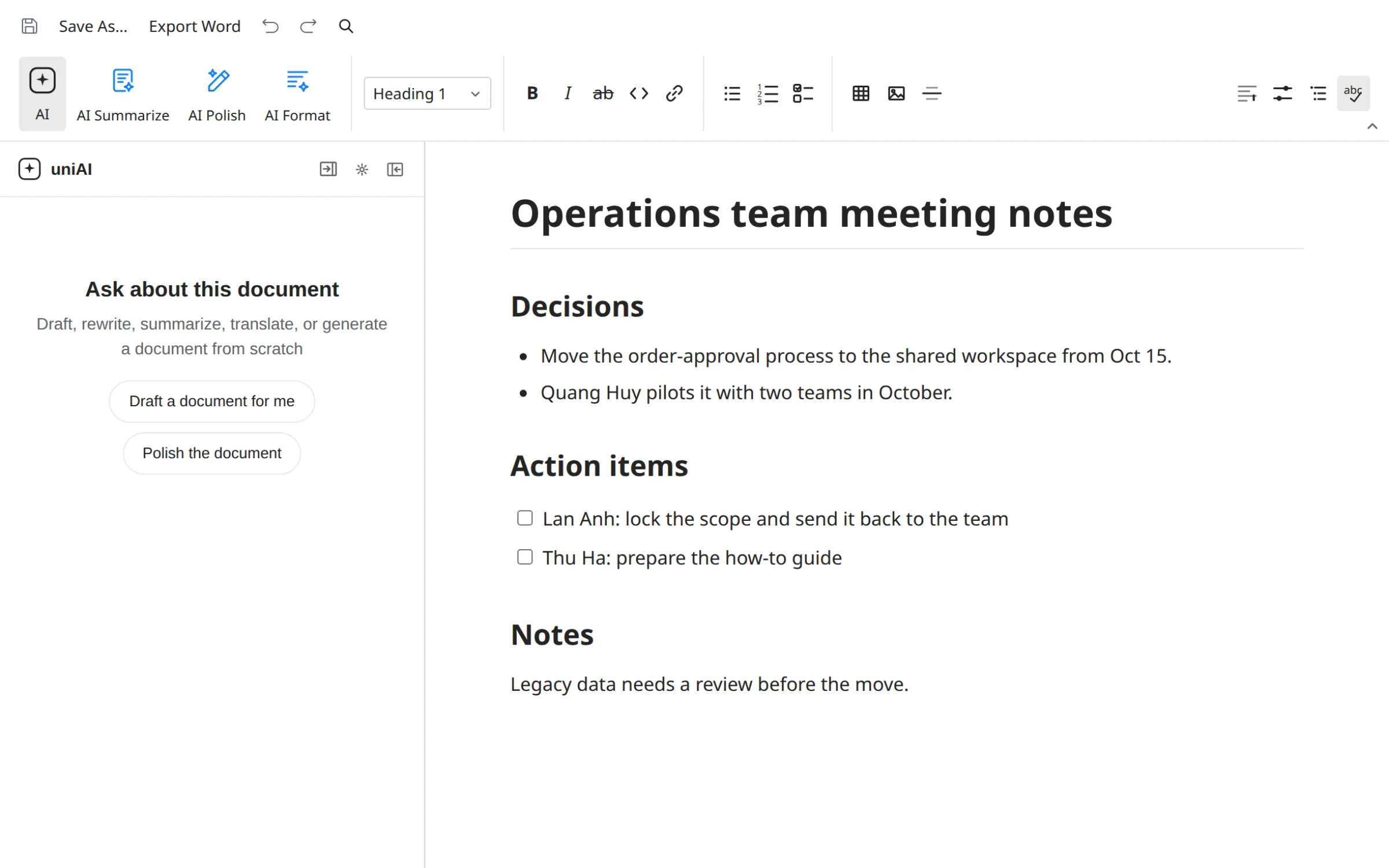
Write, format and review DOCX files in the app. Ask AI to draft, rewrite a paragraph or summarise, then decide what to keep.

Docs

Write documents with AI beside you

  • Open and save DOCX with its formatting intact
  • AI drafts, rewrites and summarises in one panel
  • Comments and version history stay with the file in UniWork
UniWork Office: Docs with the AI panel
Sheets

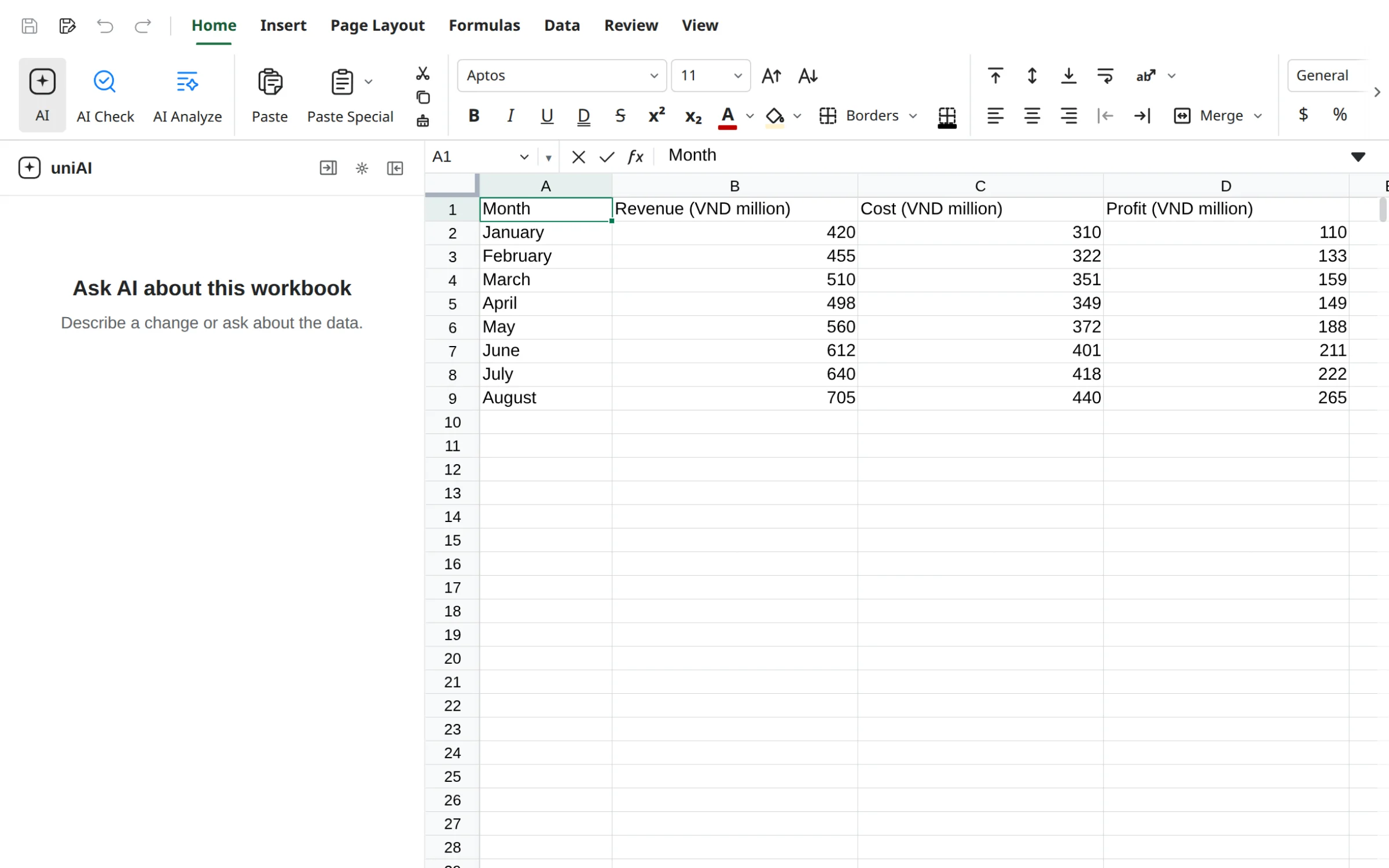
Spreadsheets that answer questions about your numbers

  • Formulas, formatting and multiple sheets in one file
  • AI explains figures and suggests formulas
  • Save back to the workspace as a new version
UniWork Office: Sheets with the AI panel
Slides

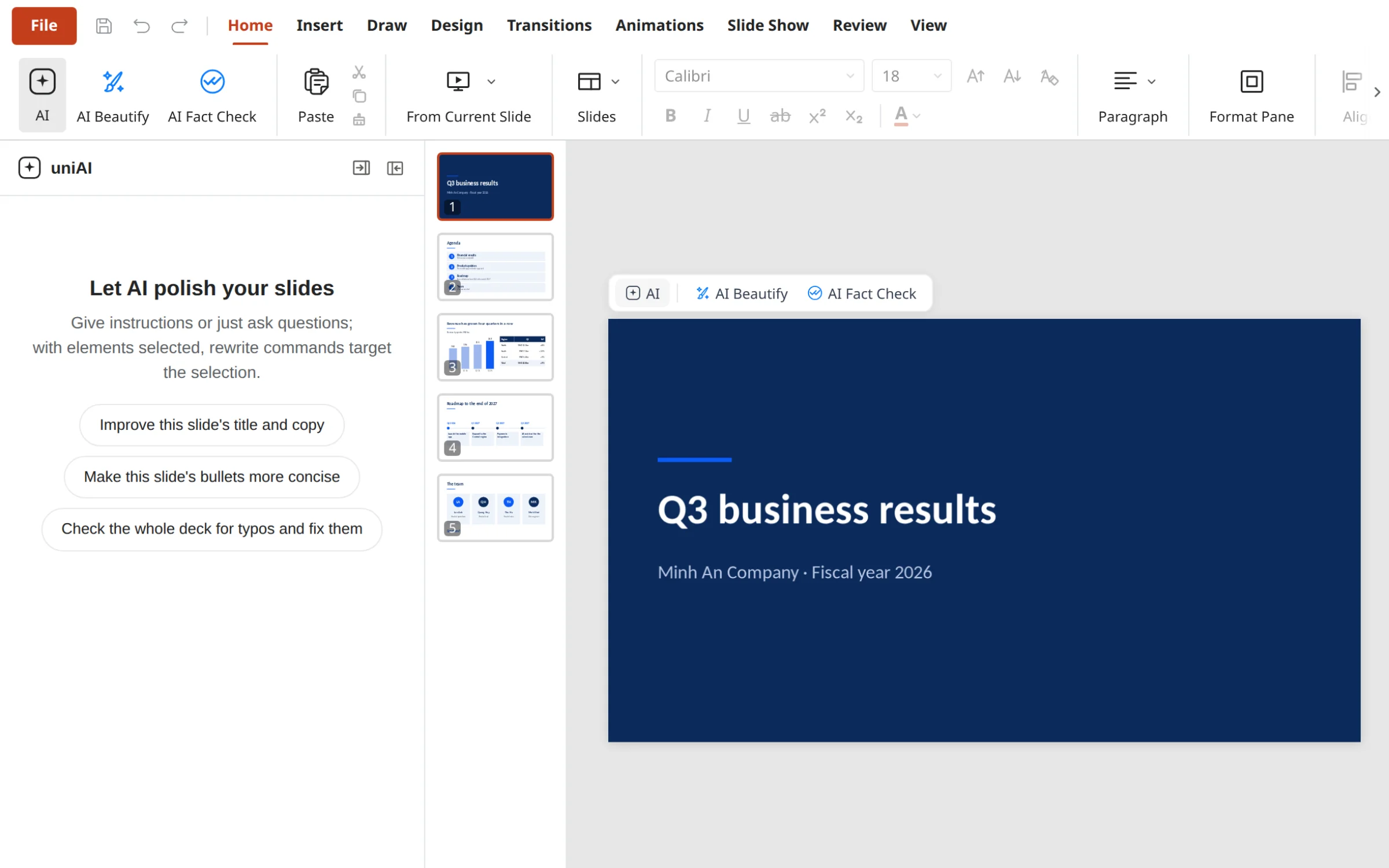
From an idea to a deck

  • Open and save PPTX files
  • AI builds an outline and content for each slide
  • Review and edit each slide right on the canvas
UniWork Office: Slides with the AI panel
PDF

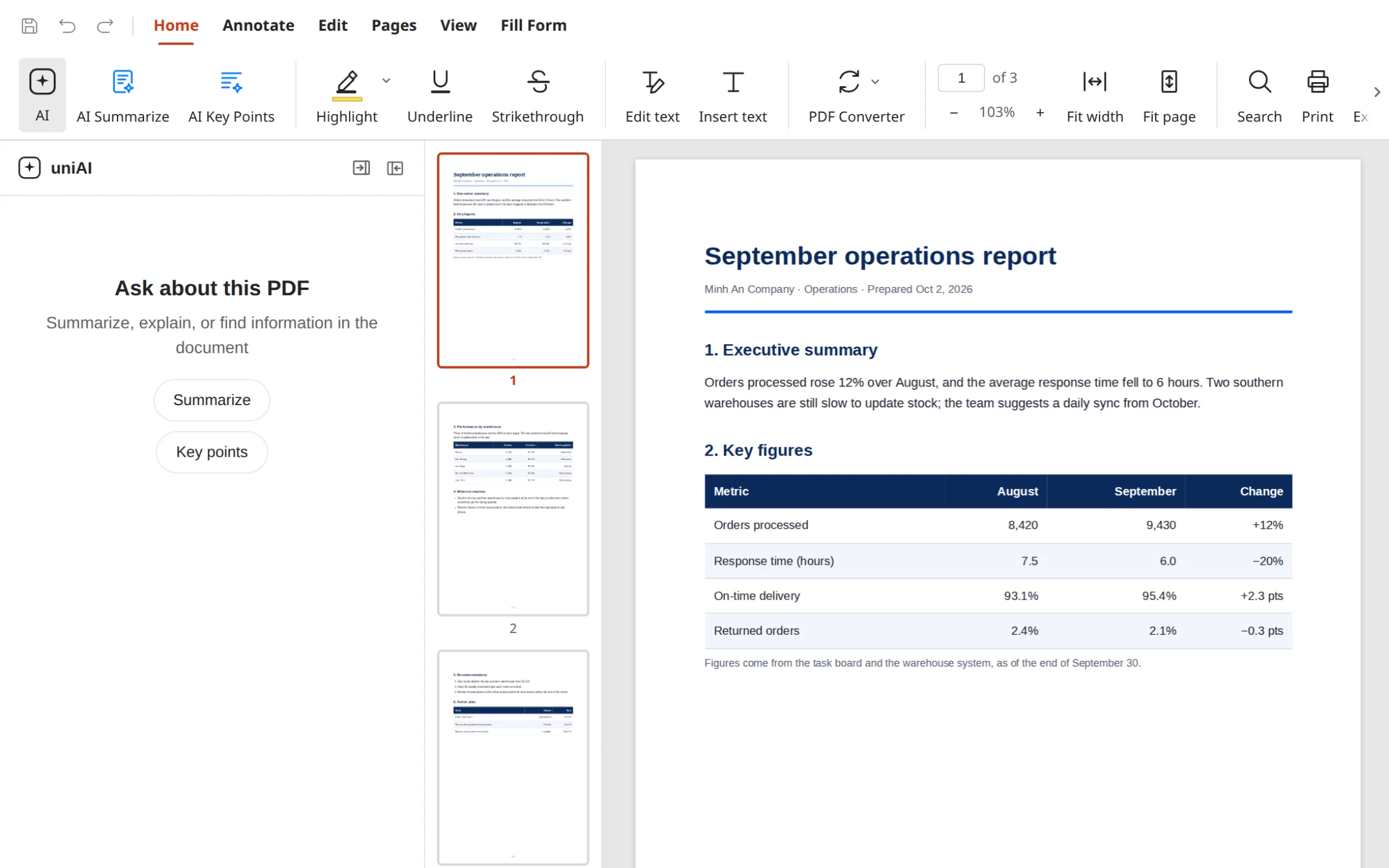
Read and annotate PDFs

  • Highlight, annotate and draw on the page
  • AI summarises and answers from the file's content
  • Save the annotated copy as a new version
UniWork Office: PDF with the AI panel
HTML

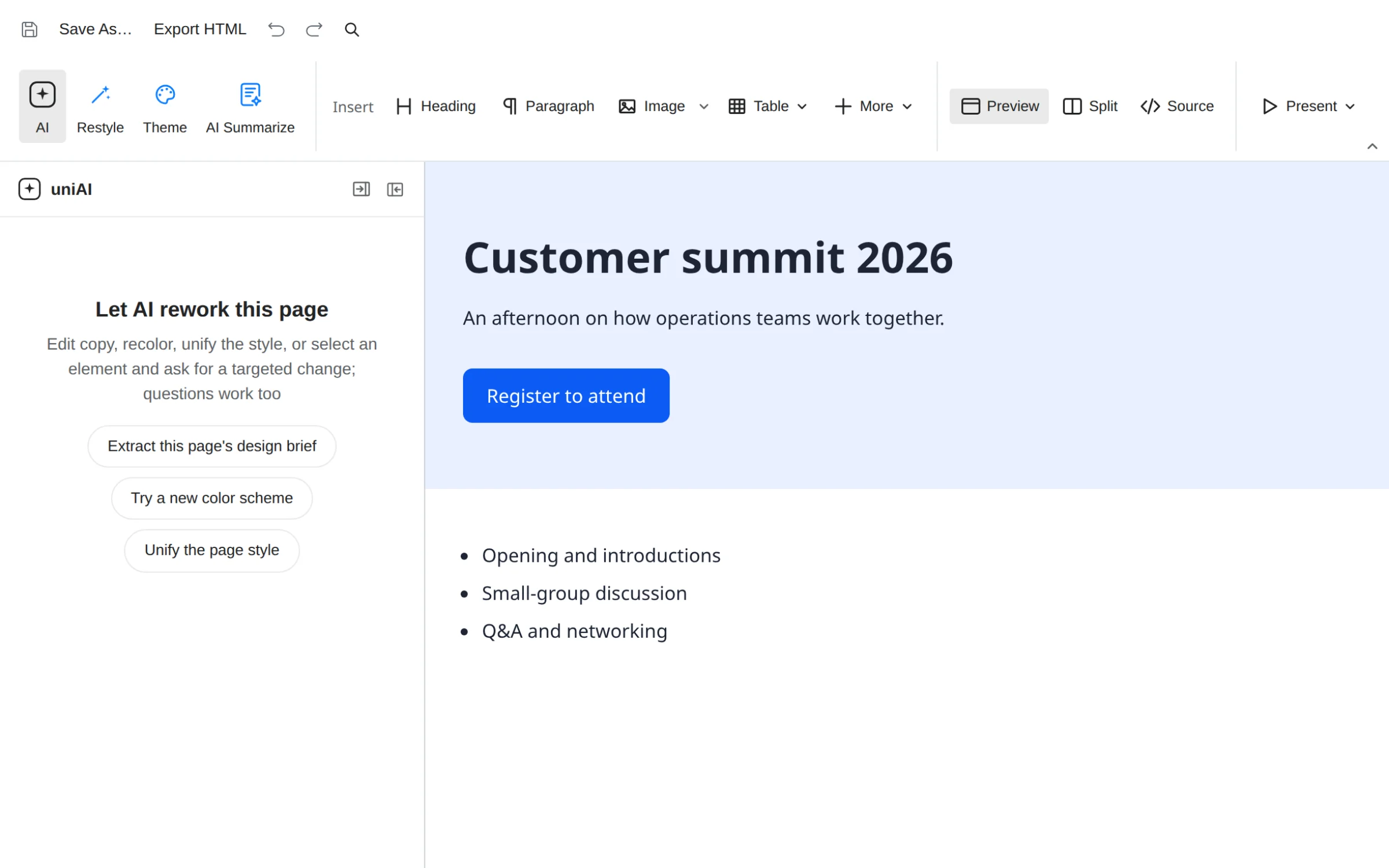
Write a web page and see it at once

  • Source and preview next to each other
  • AI builds the layout and fixes errors
  • Save the page to your team's workspace
UniWork Office: HTML with the AI panel
Markdown

Structured notes

  • Write and preview in one window
  • AI organises notes into a document
  • Inserted images are saved with the file
UniWork Office: Markdown with the AI panel

From a task to a finished file

Six common jobs, each starting from one editor.

  1. 01

    Draft a document

    Tell AI the goal and the reader, get a draft, then adjust it to your team's voice.

  2. 02

    From data to answers

    Paste figures into a spreadsheet, ask what you want to know and get a formula or a summary table.

  3. 03

    From a topic to a deck

    Give a topic or an outline and get a first set of slides to edit and present.

  4. 04

    A fresh start from a PDF

    Summarise a PDF report, pull out the key points and turn them into a new team document.

  5. 05

    From an idea to a web page

    Describe the page you need, see the build at once and edit the code when you want control.

  6. 06

    From notes to a document

    Gather scattered meeting notes into a document with headings, action items and owners.

AI built in, your files stay in your team's workspace

UniWork Office shares its account and permissions with UniWork, so your team's files keep following your organization's access rules.

AI through your UniWork account

The cloud AI tools available today are web search, image search and transcription, and they run through UniWork under your organization's plan. If you use your own API key, the app calls the provider you choose directly, without going through UniWork servers.

Team files are saved in the workspace

Files you save to the workspace live in your team's UniWork workspace: open from Documents, save as a new version, share and comment. Files stored on your computer stay on your computer and can be edited without a connection; cloud AI and UniWork documents need one.

See how UniWork handles permissions

Frequently asked questions

Download UniWork Office


  •  
  •  


  •  
  •  


  •  
  •  

Works with UniWork

The app is not apart from the workspace: files go from UniWork to the app and back.

Open from Documents

Choose Open in app on any file, or launch the app and sign in with your UniWork account.

Save as a new version

Every save adds a version; earlier ones stay so you can go back.

Share and comment

Your team still sees the file, its comments and its access in UniWork.

Get started

Bring the office apps home to your team's workspace.

Start a workspace. Connect the conversation to the work that matters.

Get startedWatch demo

The digital workplace where people and AI teammates produce results together.

Product

  • Features
  • Meetings
  • AI teammates
  • Office

Solutions

  • Product teams
  • Operations teams
  • Enterprise
  • All solutions

Resources

  • Learn
  • Why UniWork
  • Changelog
  • Roadmap
  • Pricing

Company

  • Contact
  • Sign in

© 2026 Unicom JSC